
 Guides
Forever Master Get the addon and companion app
Get the site’s features in game: what changed in Forever, where an item drops, dungeon maps and quest chains, your BiS list, training, recipes and talent builds. Type /fm or click its minimap button.
With the Forever Master Companion running on your computer, it also helps me update the website with drops, prices and spawn locations.
Version 0.3.0, a 2.2 MB zip
What it looks like
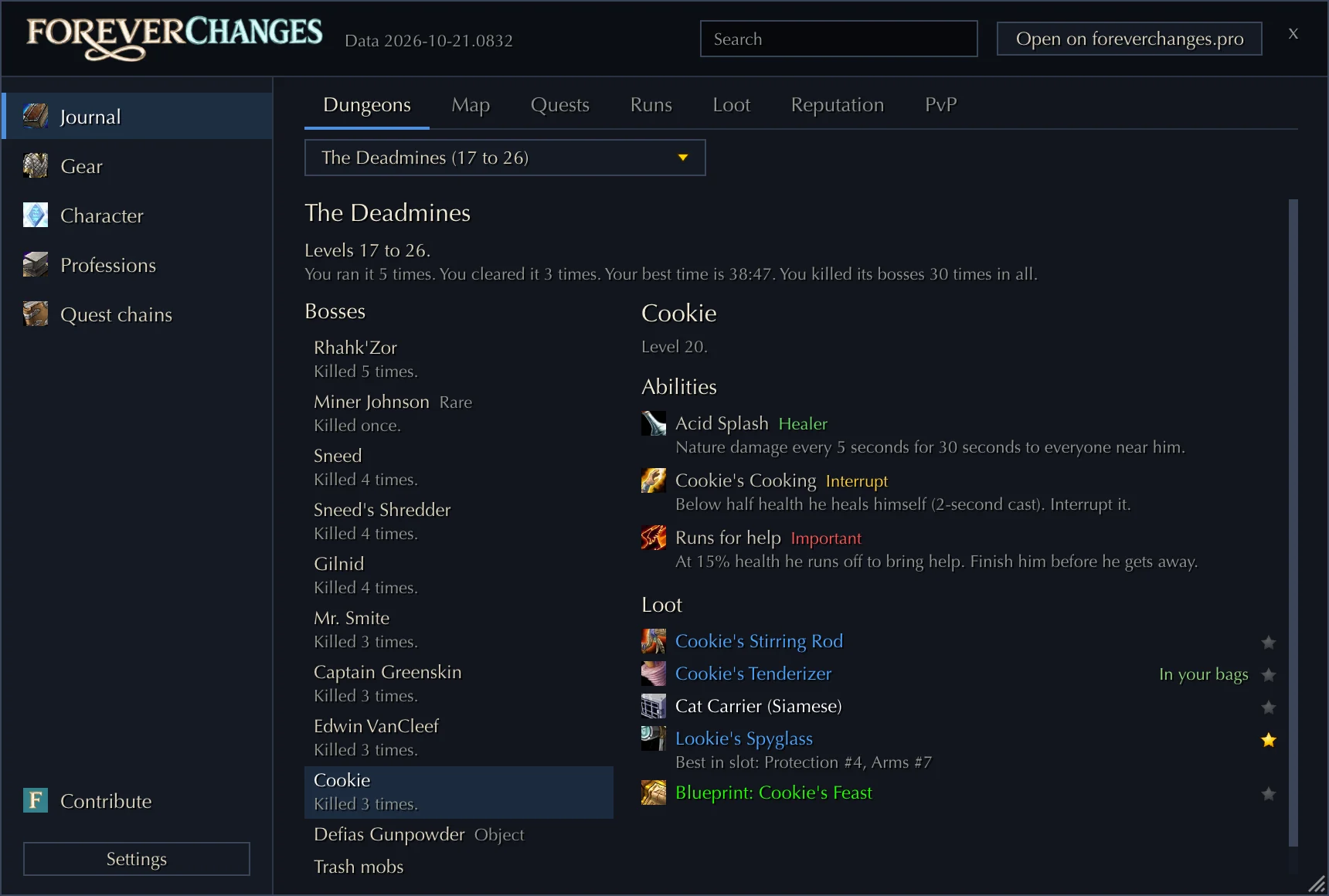
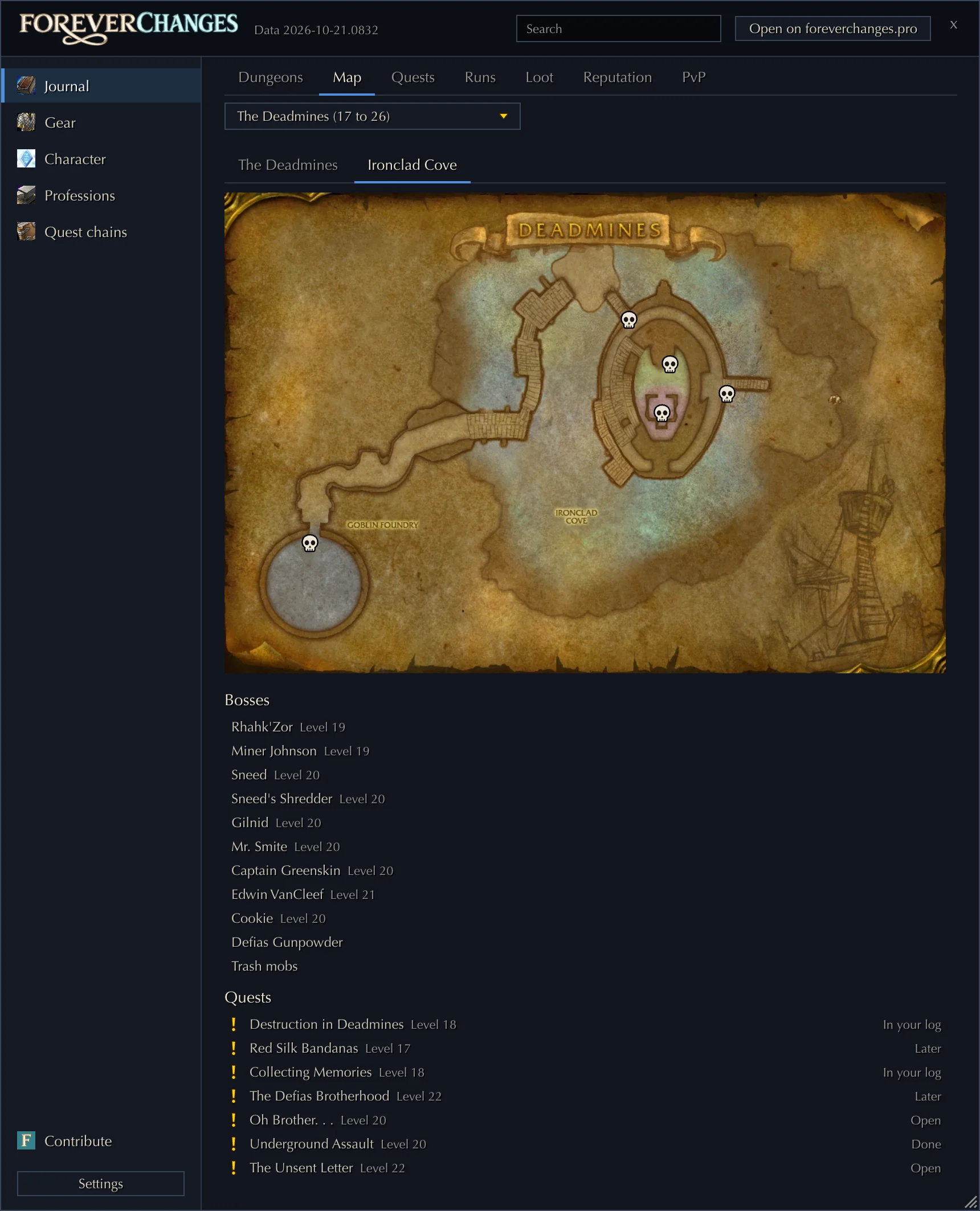
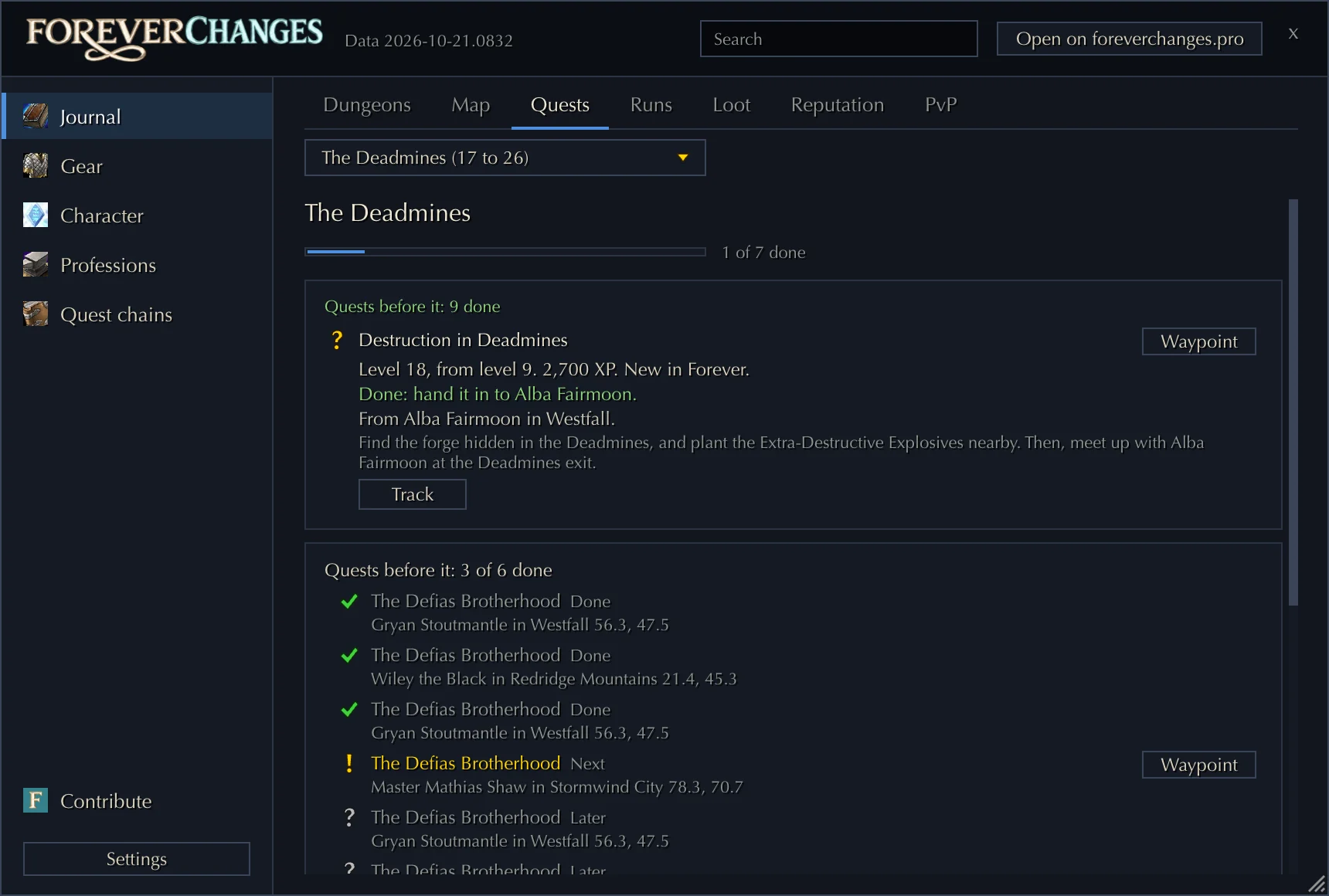
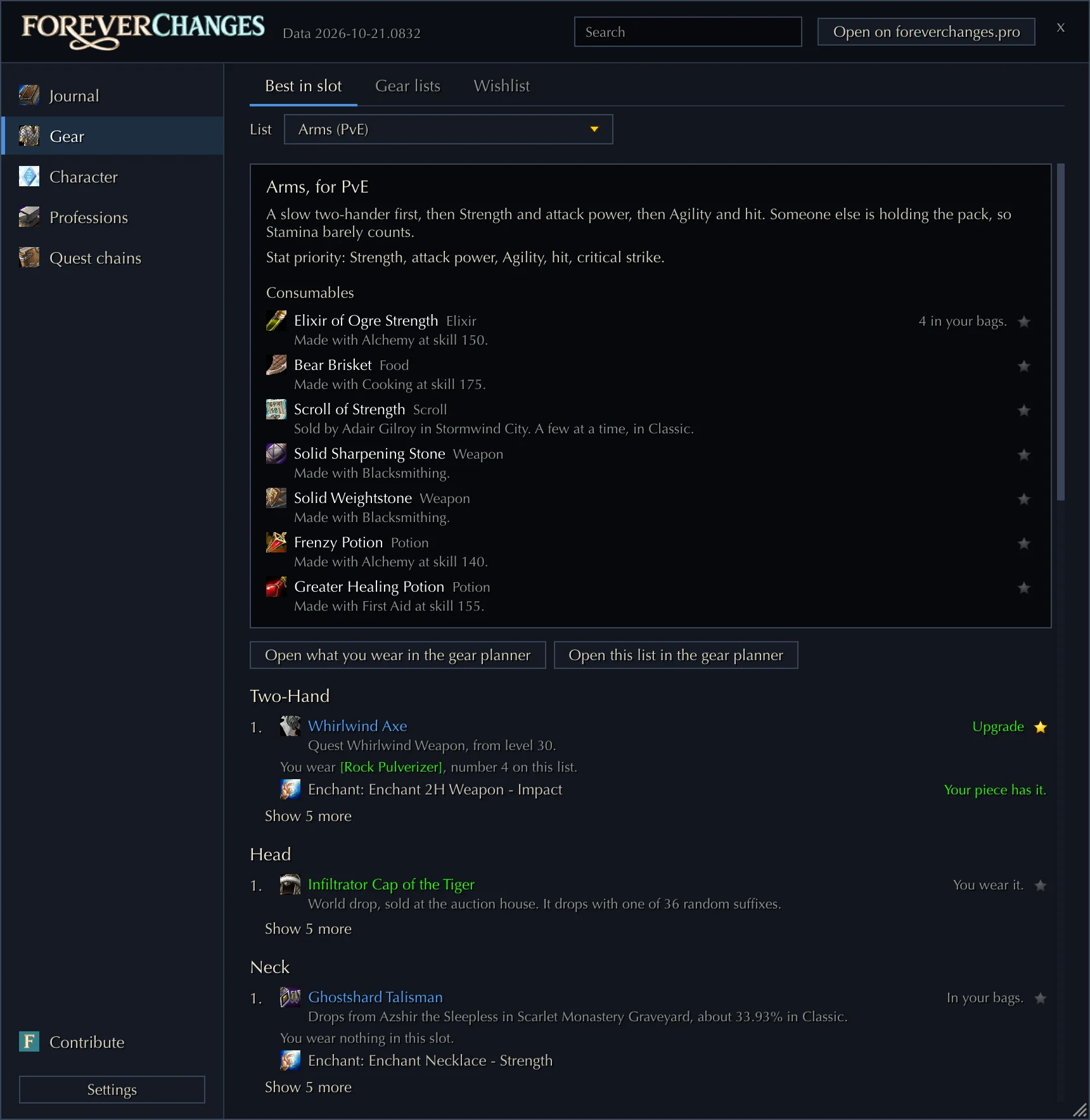
 Forever Master Companion
- Game folder
- Found
- Addon
- Installed (0.3.0)
- Waiting to send
- Nothing
- Last upload
- 4 minutes ago

What it does by itself

Item tooltips
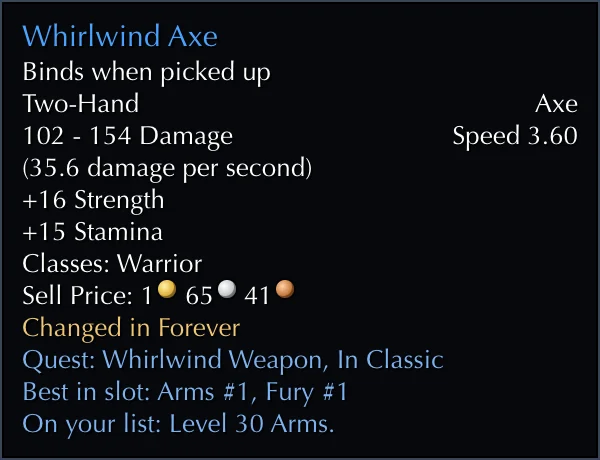
Each item says whether it is new or changed in Forever, where it comes from, and its rank in your class’s BiS list.

Dungeon guides
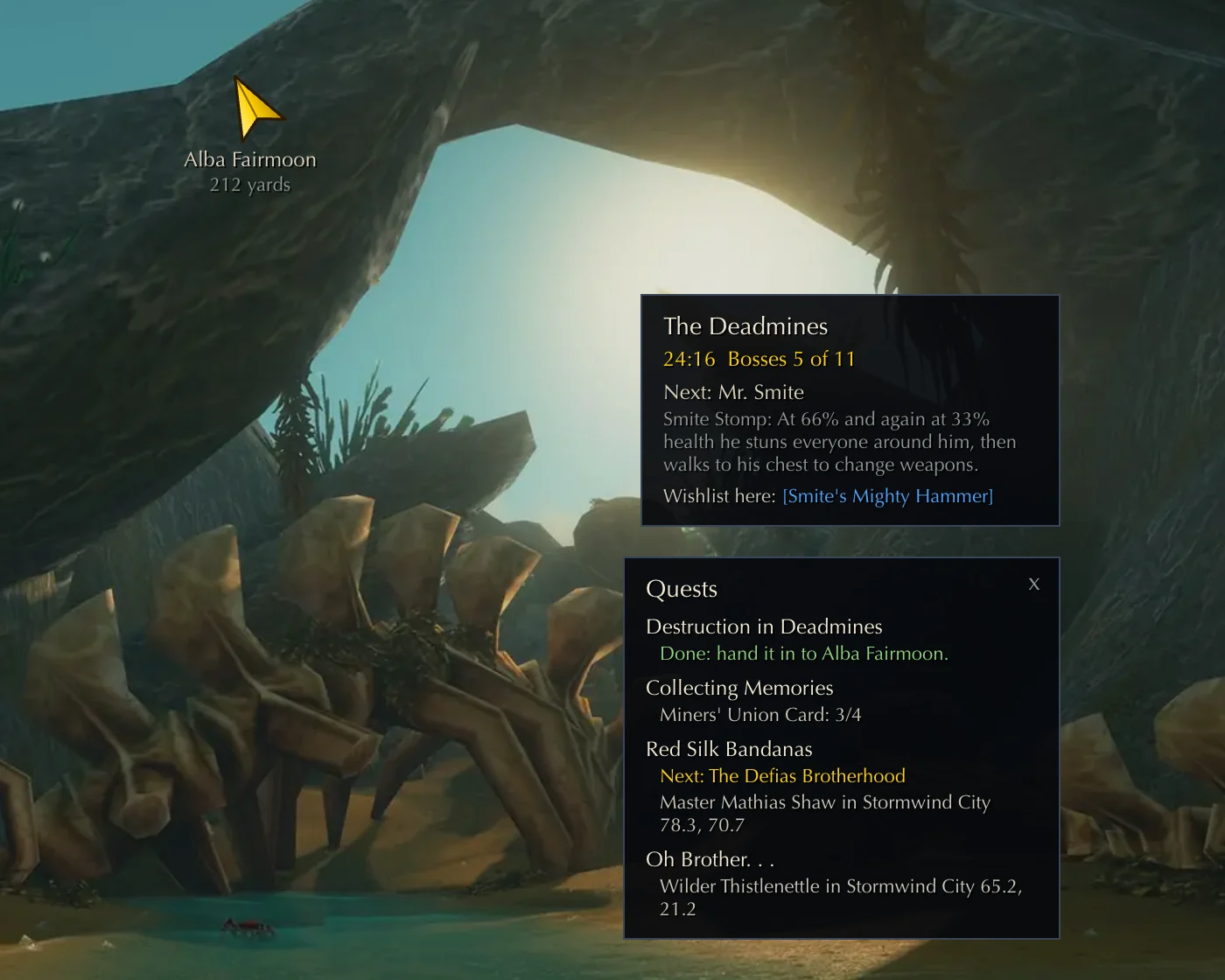
When you enter a dungeon, its guide opens: the bosses, their abilities, the loot for your class and the dungeon’s quests.
Drop alerts
The addon tells you when an item of your wishlist, of your gear list or a BiS upgrade drops.

Waypoints
Quest givers, trainers and library books get a waypoint, and an arrow points the way.
The window/fm
Type /fm or click the minimap button. Its sections:
- Journal: Every dungeon’s bosses, loot, map and quests, your runs and kills, your loot and rolls, and the reputation and PvP rewards.
- Gear: Your BiS list against what you wear, your own gear lists that open in the site’s gear planner, and your wishlist.
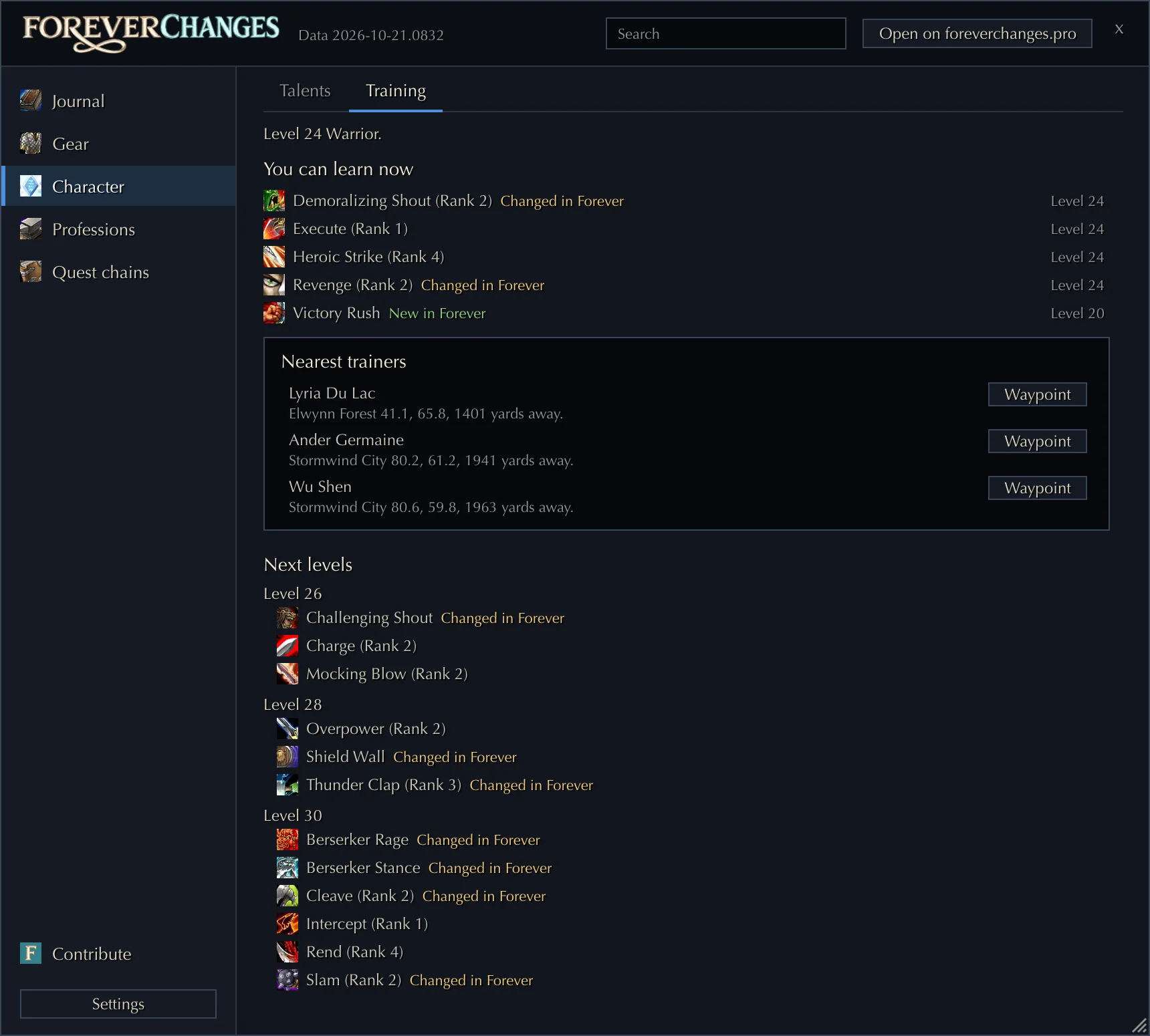
- Character: Talent builds for your level, and what you can learn from your trainer now and in the next levels.
- Professions: What to craft next for your skill, and every recipe with its materials and who teaches it.
- Quest chains: The library books and the Cozy Sleeping Bag, step by step.
- Contribute: What the addon recorded, and whether the companion is running.
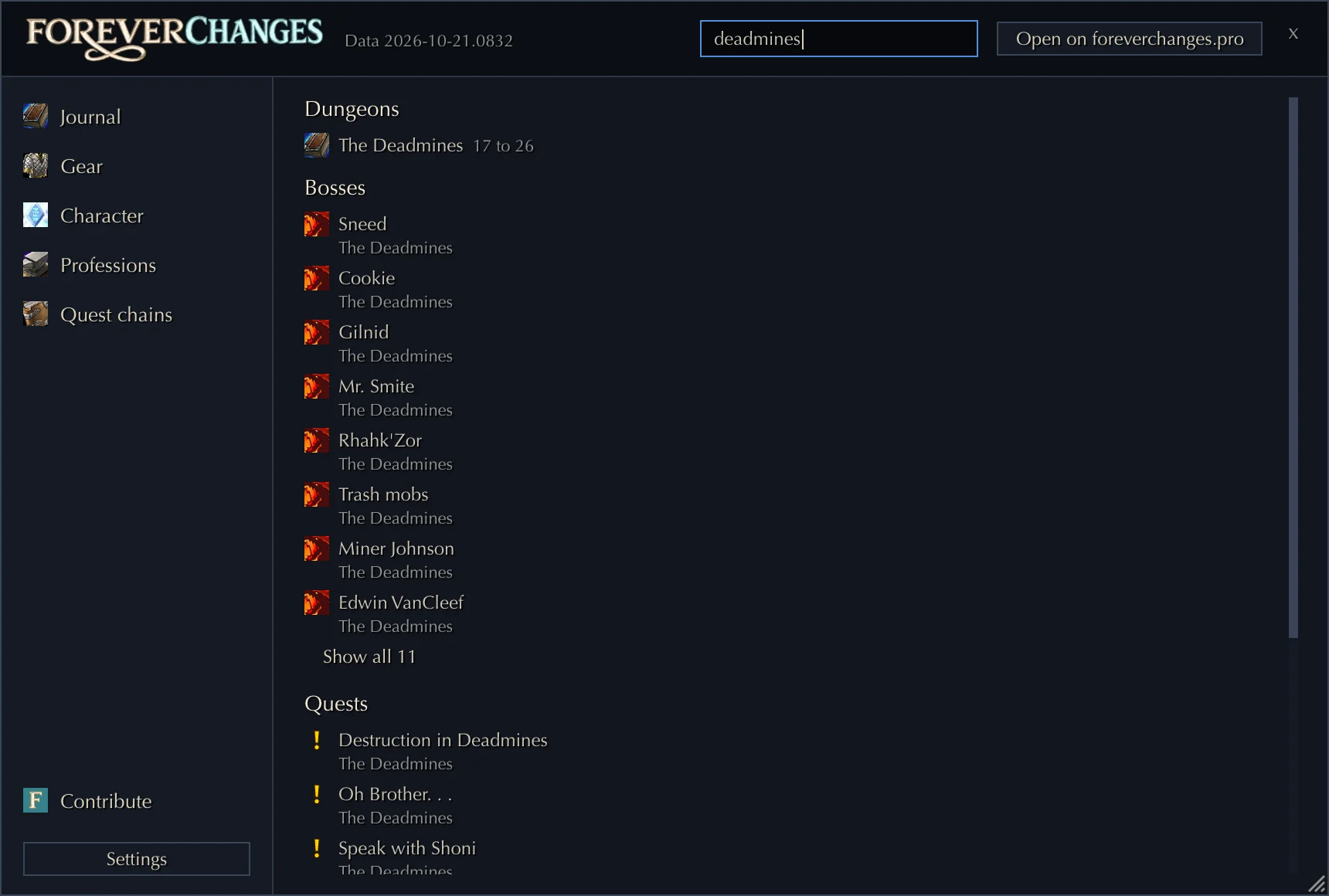
The search box at the top of the window finds anything the addon knows.

On screen
- Tooltips: the lines the addon adds to item tooltips.
- The run panel: in a dungeon, the time, the bosses killed and the next boss.
- The quest tracker: the quests you track, and in a dungeon its quests from your log.
- The waypoint arrow: points to the waypoint you set, with the distance.
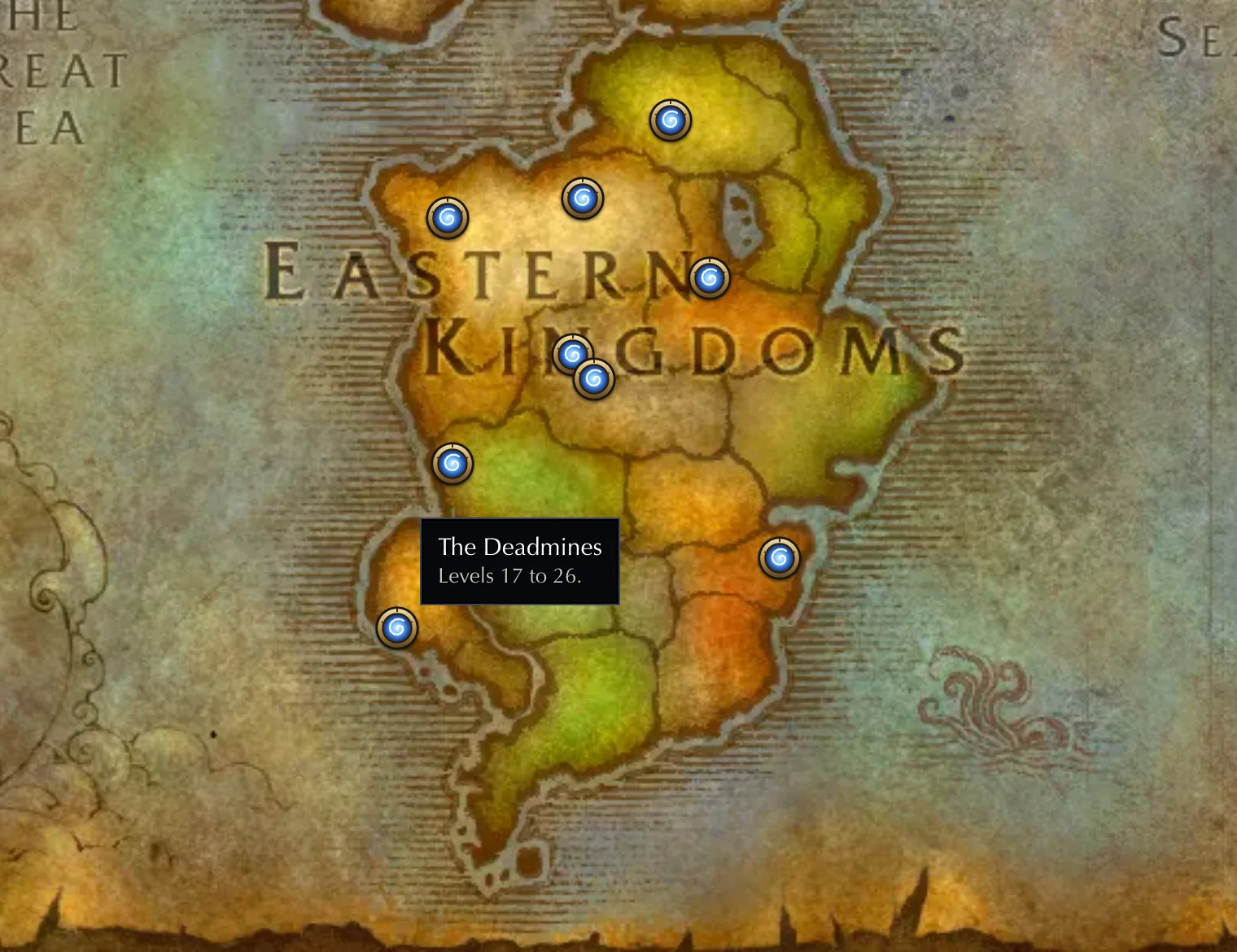
- The world map: a marker at each dungeon entrance.
- The minimap button: opens the window. Right click opens its Contribute tab.
- Alerts: when an item you want drops.
- The auction house: a “Scan prices” button that reads every price at once.

Light, and only what you want
Each part of the addon has its own switch: the tooltips, the dungeon guide, the run panel, the quest tracker, the waypoint arrow, the dungeon markers on the world map, the drop alerts, the loot history, the minimap button and the recording. Turn them on or off in the game’s options with the other addons. At your first login, the addon asks which parts you want.

Forever Master CompanionFor Windows
A small app for Windows that runs beside the game. After you play, it sends what the addon recorded to the site. The addon records only while the companion is installed.
- It finds the game on your computer.
- It sends what the addon recorded after you play.
- It sends the game’s item cache, which reveals hidden items.
- It sends Auctionator’s prices of the last 7 days, if you turn that on.
- It never installs or updates the addon: you do that yourself.
- It never reads the game’s memory, never sends key presses and never touches the running game.
- No account: the site gives it an anonymous install id, shown in its window.
The app isn’t signed yet, so Windows may show a blue “Windows protected your PC” window. Click “More info”, then “Run anyway”. If your browser warns about the download, choose “Keep”.
Set it up Windows only
- Install the addon first.
- Download the companion and run it.
- It finds the game’s folder, or you choose it.
- Leave it in the tray. It sends after you log out.
Help reveal the hidden items
Blizzard keeps the stats of 12,618 items out of the game’s files. The server sends an item’s data to your game when the item comes up, and the game keeps it in its cache. 4,785 are revealed so far, and 7,833 are still hidden.
Each player’s cache can hold items no one has sent yet, so every companion that sends it reveals more. The count is on the hidden items page.

Install and update
- To install or update it, download the addon from this page and unzip it into
World of Warcraft/_classic_beta_/Interface/AddOns.
The companion never installs or updates the addon. Each new version brings the site’s newest lists.

What’s new
0.3.0
- A new window in the site's look, with sections and pages.
- Dungeon journal: bosses with their abilities and loot, maps with the bosses on them, the dungeon's quests with waypoints, your kills, and reputation and PvP rewards.
- Best in slot lists show where each item comes from and whether you already have it, and your own gear lists import from and export to the gear planner.
- Training shows what you can learn now and where your nearest trainer stands.
- Recipes shows what you can learn, its materials and who teaches it.
- The library books and the Cozy Sleeping Bag, step by step.
- Maps for every dungeon the game draws, and dungeon entrances on the world map.
- Each dungeon quest shows the whole chain before it, and a quest tracker follows the quests you pick.
- A loot and roll history, kept on your computer.
- Search across dungeons, bosses, quests, items, recipes, trainers and rewards.
0.2.0
- First release.